MacBook Screen Repair or Replacement
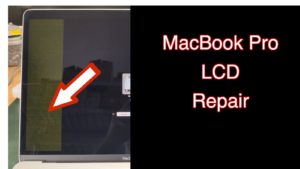 MacBook screen repair or replacement is one of the most common jobs at my lab. A screen can crack, flicker, go dark, show lines or liquid stains — and replacing the whole display assembly is not always the best solution. Here’s why.
Why a full assembly replacement isn’t always the answer
Apple factory displays are firmly glued together, and a complete original assembly is expensive. China offers cheap pre-assembled copies, but from my own experience about half of those screens arrived with problems: weak brightness, uneven backlight, greenish tint, camera or light sensor not working, weak hinges, flickering and lines. The defects may show up not right away, but a month or two later.
So I work differently. I normally install either an original Apple panel or a top-quality OEM panel — with warranty, matching the original in quality but noticeably cheaper. The original housing, together with the camera, the backlight and the sensors, stays original.
How a MacBook display works
Every MacBook display consists of a backlight and an LCD panel, with several light-diffusing filters between them. All of this sits in an aluminium housing together with the webcam and the ambient light sensor, and connects to the logic board through a T-Con board and several flex cables — which, by the way, fail very often.
Three typical groups of failures
- Backlight. When the backlight fails, the image seems to be gone — but it’s there: shine a flashlight at the screen and you’ll see a very faint picture. Partial failure shows up as “stage lights” glowing at the bottom of the screen. The main cause is the backlight flex cable, which gets stretched every time the lid opens and eventually breaks.
- LCD panel. It may not work at all, work partially (flickering, coloured stripes, a wide black bar, only part of the screen working) or physically crack — after a drop, or when something was left inside the closed MacBook. Then it is either a MacBook LCD replacement or a full MacBook screen replacement, depending on the model and the damage.
- Camera, sensors, filters. The camera and light sensor can stop working because of a flex cable or a fault in the electronics themselves. And if liquid gets inside the display, it leaves water-like stains on the filters between the panel and the backlight.
Flexgate: broken flex cables in the lid
Before 2016 the display controller board (T-Con) sat in the lid together with the screen, and there were no flex cables at all — the display used an LVDS cable that never failed. In the 2016 to 2020 models the board was moved into the computer body and connected with flex cables, two of which were made too short: they were stretched every time the lid was opened. There are four cables in the lid, and they behave differently:
- Two data cables wear through from opening and closing. Hence the lines and distorted colours that come and go as the lid moves.
- The backlight cable doesn’t wear through — it breaks: “stage lights” appear at the bottom of the screen, and then the image goes out once the lid is opened past a certain angle.
- The camera cable breaks as well — the camera starts working on and off, or stops being detected.
The problem affects models from 2016 to 2020 — all of those built on the 2016 chassis. The worst are the 13-inch A1706 and A1708 and the 15-inch A1707. In 2018 Apple made the cable 2 mm longer and the failures became less frequent: on the 13-inch A1989, A2159, A2251, A2289 and A2338, the 15-inch A1990 and the 16-inch A2141 such cases turn up more rarely.
From the 14-inch A2442 and the 16-inch A2485 of 2021 the design was reworked: the T-Con board went back into the display housing, and the cables are no longer stretched when the lid opens. On those models and everything newer, Flexgate problems are practically absent.
The main point is this: Flexgate does not mean replacing the whole screen. The display is disassembled and only the cable is replaced. The panel, the camera and the housing all stay in place.
Symptoms of a faulty MacBook screen
- The screen doesn’t turn on, but the MacBook is running.
- A faint glow is visible, but there’s no image.
- The screen flickers, fully or partially.
- Glowing “stage lights” at the bottom of the display.
- Very low screen brightness.
- The screen goes dark at a certain lid angle.
- Lines or distortions appear when moving the lid.
- A wide black or flickering bar from top to bottom.
- The image disappears after some time of use.
- The panel is cracked, image missing fully or partially.
- The lid is stiff to close or, the opposite, won’t stay open.
- Water stains inside the display after a spill.
- Scratches or peeling anti-reflective coating.
- After liquid damage the MacBook works, but the screen doesn’t turn on.
- The camera works on and off.
Before any MacBook screen repair I first make sure the display really is the problem and not the logic board. I find out by connecting an external monitor or a known-good MacBook display. This diagnosis is free, and if the board turns out to be at fault, it needs component-level repair.
MacBook screen repair or replacement — what exactly I do
- Flex cable repair or flex cable replacement in the display.
- MacBook LCD replacement when the panel is cracked.
- Full MacBook screen replacement as an assembly.
- Backlight cable repair after Flexgate.
- T-Con board repair or replacement, including its connectors.
- Corrosion cleaning inside the display after liquid damage.
- Backlight filter sheets replacement.
- Display hinges repair or replacement.
- Webcam repair or replacement.
This is not the full list of MacBook screen repairs — other faults are handled case by case. For everything else on these machines see the MacBook repair page.
For example, in this video I replace a damaged flex cable with a new one:
And here — MacBook screen repair after water got inside the display:
MacBook screen repair or replacement prices
The cost depends on the model and the exact work needed. I keep new screens in stock, as well as pulled original screens at reduced prices. If you already have a screen and just need it installed — this service starts from 250₪.
The fastest way to get an answer: describe the problem and send a photo or a short video of the fault to my WhatsApp. You can also contact me if you’re not sure what the problem is — I’ll do my best to help.