If liquid was spilled on a laptop
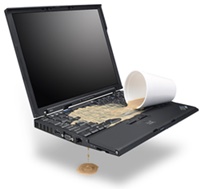 If liquid was spilled on a laptop or a MacBook — coffee, tea, water, wine — read this page right now, before you do anything else. Minutes count here: what you do first decides whether it ends with an inexpensive repair from a few hundred shekels, or the board is beyond saving and buying a new computer makes more sense.
What to do first if liquid was spilled on a laptop
- Shut it down immediately. Not through the menu — hold the power button for 10 seconds and keep holding it even after the screen goes dark.
- Disconnect the power and the battery. Unplug the charger. If the battery is removable, take it out. If it is inside and you have a screwdriver and some experience, open the bottom cover and disconnect the battery cable. Not sure — don’t go in, just don’t turn the computer on.
- Stand it up like a tent, screen and keyboard facing down, so the liquid runs out instead of deeper onto the board.
- Bring it to my lab today. Not “when there’s time” and not tomorrow: the sooner it is opened and cleaned, the cheaper the repair.
Disconnecting the battery and the diagnostics are free. If you are nearby, bring it straight over; if you are far, call me and I will tell you what to do before you get here.
What not to do if you spilled water on a laptop
- Don’t switch it on “just to check if it works”. That powers up more circuits on the board and only makes things worse. Water and current together mean fast corrosion, within minutes.
- Don’t dry it with a hairdryer. The liquid is already inside, under the board and under the keyboard, and blowing from the outside never reaches it. Hot air does easily melt the keys and the plastic of the case. And the main thing — you are losing time you don’t have.
- Don’t put it in rice. Rice does nothing: it pulls no liquid out from under the components. You lose time while corrosion goes on at its own pace — how fast depends on the voltage on the board and on what exactly was spilled. On top of that, grains work their way under the keys, into the ports and between the screen and the case, where one of them can scratch or crack the panel when the lid is closed. Whatever the internet says, rice does not work.
- Don’t heat it on a radiator, in an oven or in the sun. While the computer warms up, the battery inside stays connected and keeps feeding the wet board — corrosion carries on. Heat also swells the battery itself and melts the plastic.
- Don’t wait and hope it’s fine. If you spilled water on a laptop and it still works afterwards, that means nothing yet: it may run for a couple of hours and then die for good.
Why a spill is more dangerous than it looks
Water on a live board is no longer just water. Electrochemical corrosion starts: the metal of the traces and the joints breaks down and begins shorting to neighbouring parts and connections, which can destroy the electronics and take your data with it.
What fools people is that when liquid was spilled on a laptop, the computer often keeps working afterwards. You breathe out and carry on using it, while the corrosion quietly eats the board from the inside. The odd behaviour usually starts the same day or the next one, sometimes a few days later. And instead of a standard clean and dry, what lands on my bench is a board that costs more to restore than a new computer.
Water is the worst enemy of electronics, and “just water” is no better than anything else. As long as there is voltage on the board, the oxidation runs the same way, and once everything dries what is left is damage: oxides, eaten-away traces, dead components.
Sweet and acidic liquids add their own part. If you spilled coffee on a laptop with sugar in it, or cola, juice, wine, beer — a sticky layer stays behind as well: keys start sticking and stop pressing, and the acids in soda and juice keep eating the metal. The worst of all is sea water: salt both conducts current and destroys everything it reaches.
What happens after you spilled water on a laptop or coffee
- The laptop shuts off instantly.
- A short circuit and failure of the power circuits on the board.
- Corrosion of traces, connectors and chips.
- The keyboard sticks, doesn’t work, or types on its own.
- The trackpad doesn’t respond, or the cursor moves by itself.
- Stains under the screen, lines, dead pixels.
- The laptop won’t charge or doesn’t see the charger.
- No sound, the speakers rattle, the microphone doesn’t work.
- USB, USB-C and HDMI ports have oxidised and make no contact.
- The computer starts every other time, or doesn’t start at all.
- The drive is not detected — up to losing the data.
- The fans run at full speed and there is no picture.
- The computer behaves strangely.
How laptop liquid damage repair works
- Disassembly and a general inspection. I also go over the board itself under a microscope: where the liquid reached and what has already oxidised.
- Cleaning as the case requires. If very little got onto the board, there is no point washing it — I take the oxides off where they are. If the spill was serious or the board is old and dirty, it goes into the ultrasonic bath: ultrasound lifts the residue where no hand can reach — under the chips, between the components, inside the connectors. The keyboard I usually just dry if clean water was spilled, but if the liquid had sugar in it, or the keys are sticking, I always wash it first and dry it after.
- Drying. After washing, the board and the keyboard are dried thoroughly.
- Repairing what is left. I clean off whatever the wash didn’t take, restore the eaten-away traces, replace the burnt and corroded components and re-solder the damaged joints — this is logic board repair at component level.
- Assembly and testing. I put the computer back together and check that it starts and runs.
After washing and drying, the keyboard often keeps working normally. If it did die from the liquid, there is nothing to fix there — it needs a keyboard replacement.
Laptop liquid damage repair I do for any brand. If you spilled water on a MacBook, all the more so — my experience with Macs is particularly deep.
Computers with spills go to the front of the queue.
Why the official service centre won’t repair a laptop after a spill
The manufacturer’s warranty does not cover spills — not at Apple, not at Dell, HP or Lenovo. That is separate accidental damage cover, and by default nobody has it. So once liquid was spilled on a laptop, the warranty is out of the picture whatever its age.
From there it comes down to the traces the liquid leaves behind: once the machine is open, you can see where it got to. Apple also puts special indicator stickers inside that change colour when they meet moisture. If the liquid reached the board, the board is replaced whole: the repair costs far more, and your data leaves along with the old board. If the liquid reached the top case, the top case is replaced as an assembly. So when you spilled water on a MacBook, the official route nearly always ends with a new board.
I work differently. I clean and restore the same board at component level: I find and replace the burnt parts instead of the whole board. That is why laptop liquid damage repair costs incomparably less with me than a replacement. On MacBooks, for instance, if the keyboard has died, I replace the keyboard and not the whole top case, and the same goes for the battery.
For Macs I keep a separate page: MacBook repair.
Common questions when liquid was spilled on a laptop
A week has passed and the computer seems to work. Bring it in, or is it too late?
Bring it in, I’ll look at it and we’ll decide what to do.
I spilled coffee on a laptop, wiped everything up, and it works. Do I still bring it?
Bring it. You wiped the coffee off the outside, inside it stayed — bring it over and I’ll have a look.
Can the files be saved?
The sooner you bring it, the better the chances. But I won’t promise anything in advance — I need to see it.
How much laptop liquid damage repair costs
Disconnecting the battery and the diagnostics are free. After that the price depends on the model and on how far the corrosion has gone. Cleaning a board in the first hours, while the oxidation has only started, is one thing; restoring it a week or a month later is another.
Hence the simple rule: the sooner you bring it, the cheaper it is.
Describe what happened and send a photo to my WhatsApp — I reply right away. Or contact me any way you like.