MacBook Cleaning and Maintenance
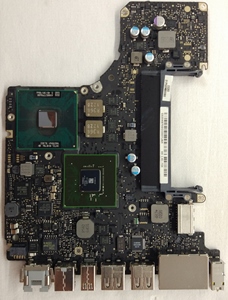 MacBook cleaning means taking the machine apart and removing the dust from the inside, not blowing air through the vents: compressed air will not get the dust out, it only comes out once the computer is open. This is worth doing once every two to three years.
Laptops arrive here so neglected that the letters on the keyboard are no longer visible under the grime. Crumbs under the keys, a thick felt of dust and hair inside, the fan still spinning but no longer cooling anything. The owner is convinced everything is fine — the computer turns on, after all.
What happens inside without cleaning
Dust does not settle in an even layer. It packs into felt and sits on the heatsink fins on the fan side, exactly where the air is supposed to pass. Nothing shows from the outside, the case is closed, and the airflow is already near zero. That is where the noise, the overheating and the sudden shutdowns come from.
Then comes the part that makes MacBook cleaning more important than it looks. Dust holds moisture against the pads, metal traces and contacts of the board. The moisture triggers corrosion: the metal breaks down into particles, and those particles short neighbouring pads and contacts to each other. This is a board that had not been opened for years:
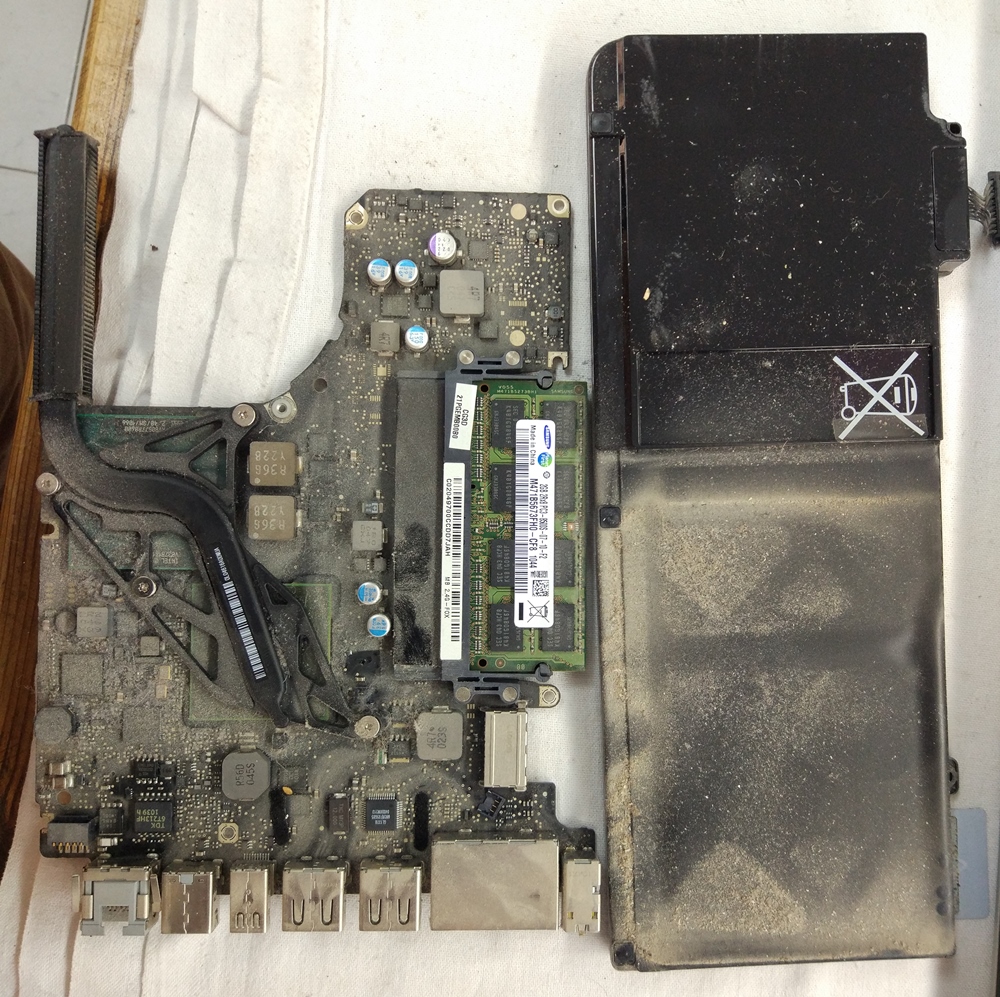
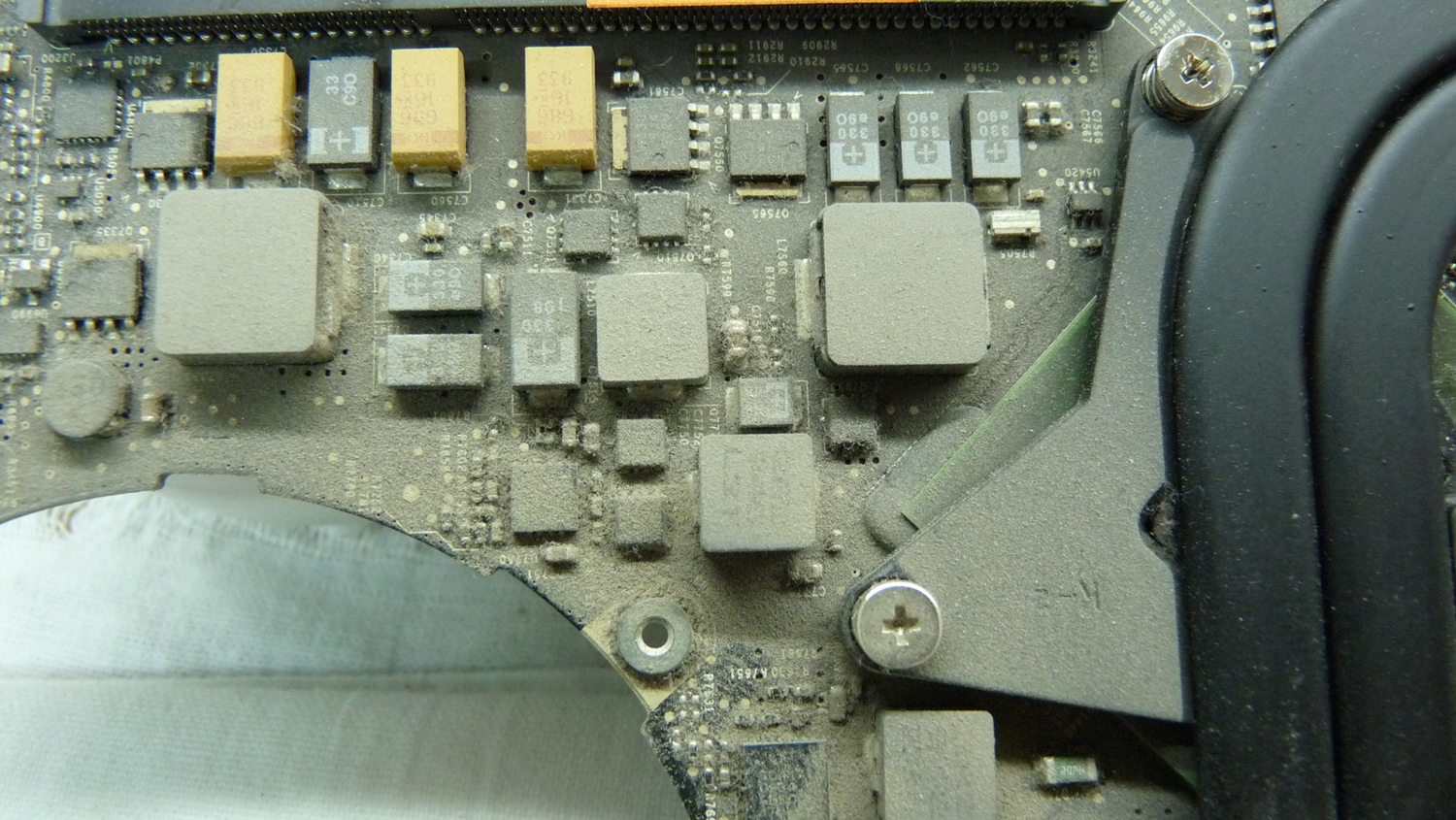
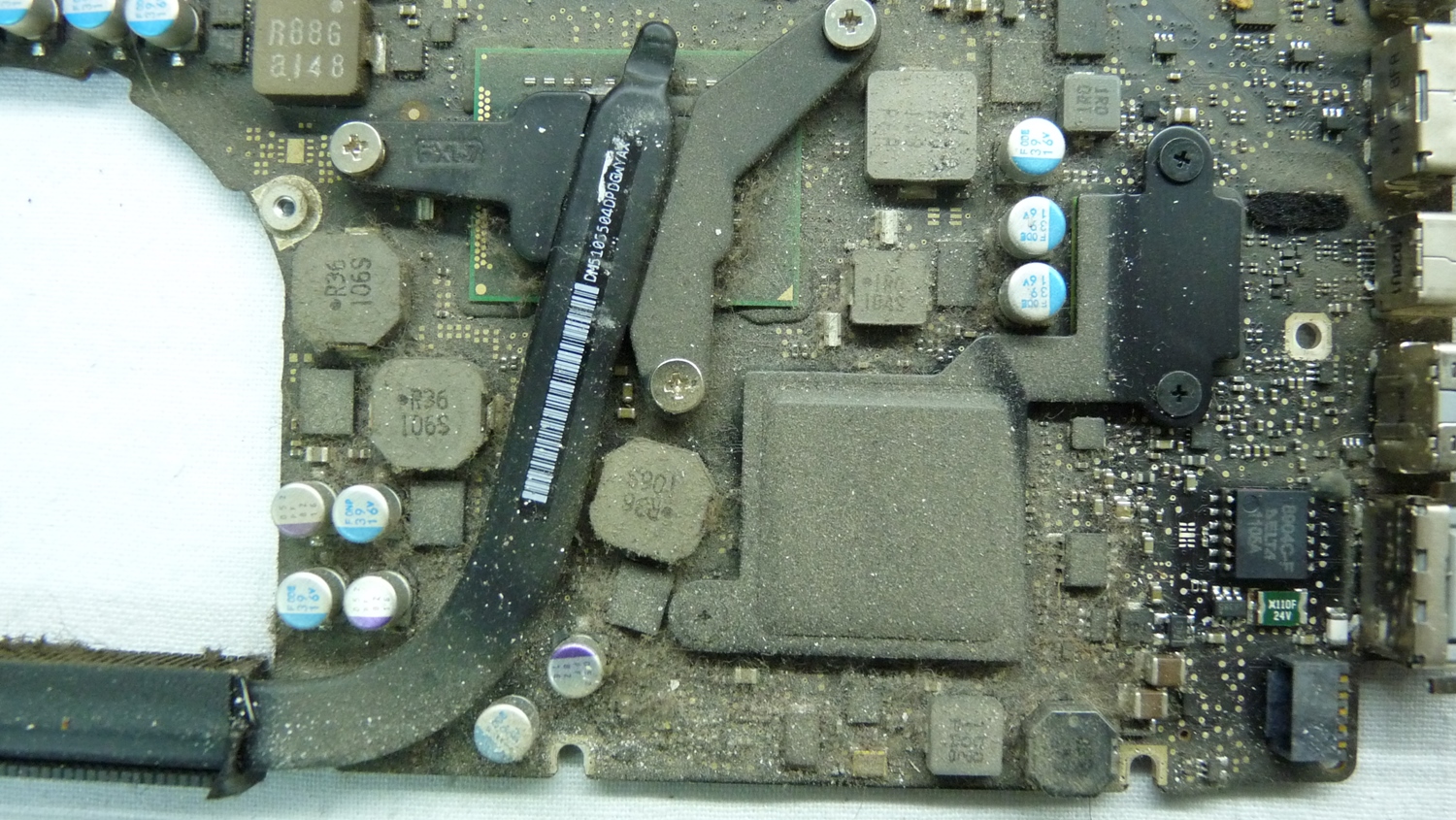
This corrosion builds up slowly and quietly over years. Spilled coffee is a different story — that damage is instant, and it is dealt with separately: what to do if liquid was spilled on a laptop.
How often MacBook cleaning is needed
There are two kinds of work here, and they should not be confused.
Routine — once every two to three years, roughly like servicing a car every ten thousand kilometres. Dust removal, a general inspection, cleaning the screen, top case and keyboard, plus small fixes as needed.
Full — when the machine has been ignored for years and the board is heavily contaminated. Complete disassembly, ultrasonic board cleaning when needed, thermal paste replacement, and repair of whatever the inspection turns up.
The intervals are not rigid. In a flat with pets, next to a construction site, or where people smoke, MacBook maintenance is needed more often. In a clean air-conditioned office a machine comfortably goes four years untouched.
Signs your MacBook needs cleaning
- The MacBook fan runs at full speed from a browser or a video.
- The case is hot near the hinge and unpleasant to work on.
- You hear a hum or a whine even with no load.
- The cursor stutters during ordinary work.
- The MacBook shuts down on its own, without warning.
- It crawls after waking from sleep.
- Poor contact when charging: sometimes it charges, sometimes it does not.
- USB devices connect only every other time.
- The trackpad has become harder to press or the lid no longer closes flush — that is how a swollen battery shows itself.
- A key has popped off or sticks.
Half of these are small things that get fixed along with the cleaning. The other half mean the machine is already running hot. If the keys are not merely sticky but have stopped working altogether, that is no longer maintenance but MacBook keyboard repair.
Routine MacBook cleaning every two to three years
- Cleaning the MacBook cooling system of dust, plus compressed air.
- General inspection of the logic board.
- Battery check — whether it has started to swell.
- Cleaning the MacBook inside and out.
- Screen cleaning.
- Cleaning the keyboard, top case and body.
- Small fixes as needed.
The board is not removed — routine MacBook maintenance does not call for it. If something catches my eye during the general inspection, I say so straight away, and sometimes I simply do it along the way at no extra charge.
Full MacBook cleaning when nothing has been done for years
- Complete disassembly of the MacBook.
- Ultrasonic cleaning of the logic board — when it is actually needed.
- Thermal paste replacement.
- Inspection of the board under a microscope.
- Cleaning of the charging ports.
- Repair of whatever the inspection turns up.
- Cleaning on the outside: screen, keyboard, top case, body.
The ultrasonic bath is for boards where corrosion has already started or where the residue has worked its way under the components — there is no reaching that by hand. A merely dusty board does not need it. Here is the same board after ultrasonic cleaning:
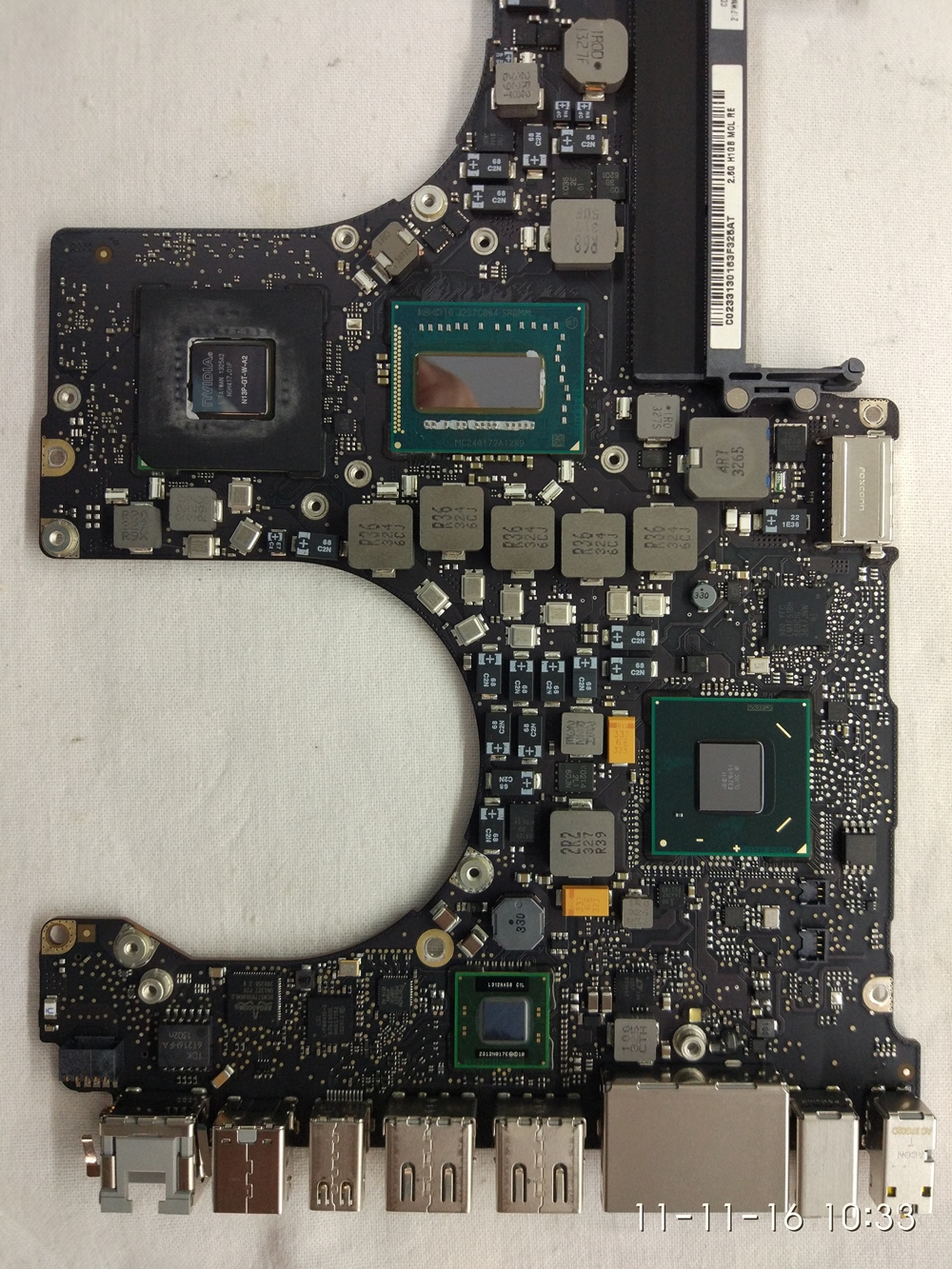
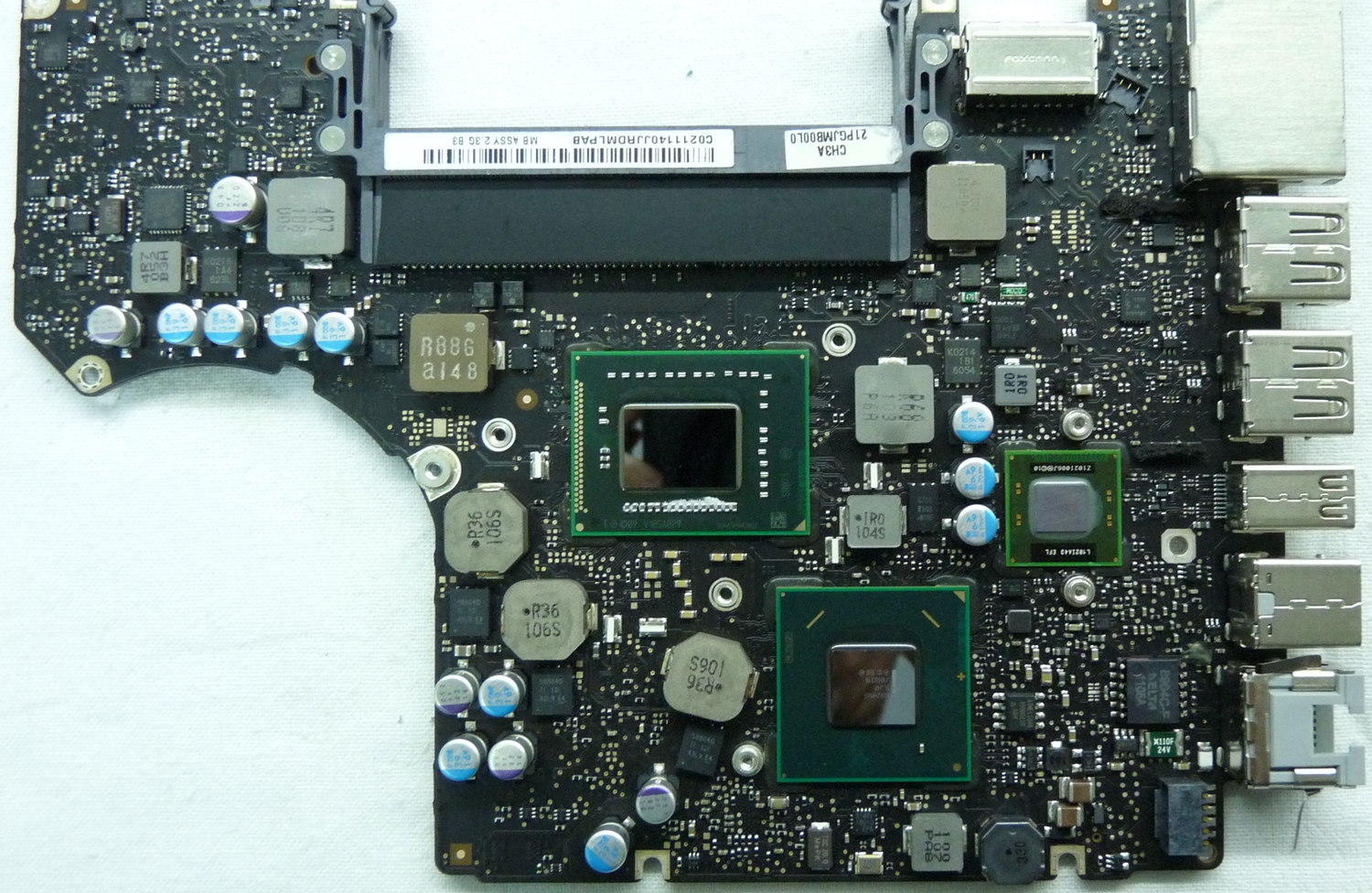
The microscope shows what nothing else will: darkened pads, residue around contacts, traces of somebody else’s repair. Caught in time, it costs one visit. The same thing two years later is already component-level board repair.
About the fan: on models up to 2012 it comes apart and can be cleaned. On newer MacBooks the fan is not serviceable — if it hums or starts to die, it gets replaced as a whole.
Thermal paste replacement
On a full clean, thermal paste replacement happens as a matter of course: the heatsink is off anyway, and factory paste dries out over a few years and stops transferring heat efficiently.
It is done once and for good: I use quality paste that does not dry out, so there is no need to repeat the job every few years.
The drive: what can be replaced and what cannot
The model number is printed on the bottom cover — the letter A and four digits. That is what decides it.
A conventional hard drive, replaceable with an SSD. These are all the MacBooks without a Retina display:
- MacBook 13-inch — A1181, A1278 and A1342.
- MacBook Pro 13-inch — A1278.
- MacBook Pro 15-inch — A1286.
- MacBook Pro 17-inch — A1297.
Replacing that drive with an SSD is something I recommend to everyone — it is the one change that genuinely affects how fast the machine feels.
A removable SSD, replaced when it fails:
- MacBook Air 11 and 13-inch — A1369 and A1370 from 2010–2011, A1465 and A1466 from 2012–2017.
- MacBook Pro Retina 13-inch — A1425 from 2012–2013 and A1502 from 2013–2015.
- MacBook Pro Retina 15-inch — A1398 from 2012–2015.
- MacBook Pro 13-inch 2016–2017 without Touch Bar — A1708.
A1708 is the last MacBook Pro with a removable drive; after it Apple moved to soldered storage. Its connector is its own, so that drive fits no other model.
A soldered SSD, which cannot be replaced:
- MacBook 12-inch — A1534.
- MacBook Pro with Touch Bar, 2016–2017 — A1706 and A1707.
- MacBook Pro 2018–2020 — A1989, A1990, A2141, A2159, A2251 and A2289.
- MacBook Air 2018–2020 — A1932 and A2179.
- Every model on Apple processors.
What is left here is macOS optimization and free space on the drive.
Reassembly and macOS optimization
I put the machine back together properly and check that it works. There is no point stress-testing a modern Mac after a clean — they barely get warm as it is. Stress testing is for gaming machines, and only when there is a reason for it.
Only then do I get to the system: hardware first, operating system second. The soul cannot be healthy in a sick body — you can clean the system endlessly while the real problem is in the hardware.
What usually slows a Mac down: a drive packed to the brim, leaving the system no room to work; startup items the owner never knew about; temporary files and logs untouched for years; old Time Machine snapshots sitting on the drive itself; a version of the system the hardware can no longer carry. Viruses and malware do turn up on Macs as well, far less often than on Windows, and I clear those too when needed.
macOS optimization follows a worked-out list, and if a machine has its own particular problems, I deal with those on top.
Free diagnostics
Which of the two jobs a machine needs cannot be settled over the phone — it only becomes clear once the computer is open. So the diagnostics are free and done on the spot: I look, I show you what is inside, and I tell you whether MacBook maintenance is due now or can wait another year.
Cleaning is part of general MacBook repair, which I have been doing since 2006. You can write to me on WhatsApp or through the contact page.
And one rule that matters: always back up your data before taking a computer to any lab, mine included. First, in any kind of work something can go wrong. Second, the drive may already be on the edge — and you will find that out on exactly the day somebody touches it.