iMac Computers Repair
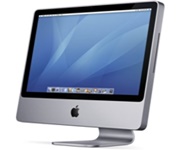 iMac computers repair at component level: motherboard, power supply, screen, cooling system. I work with every iMac model, including those on Apple M series processors.
Almost everything the iMacs arrive with comes down to four causes: dust, overheating, a worn-out power supply and corrosion on the board. Below is what stands behind that and what I do about it.
iMac computers repair: which models I work with
I take any model, from older Intel iMacs to those on Apple M series processors. On the newer ones I do the same range of work: cleaning, thermal paste replacement, board repair at component level.
The difference between generations is not in the approach but in the set of typical faults. On Intel iMacs the first three are overheating, a worn power supply and corrosion. On M series iMacs the picture is different, and diagnostics determine it.
Symptoms iMacs are brought in with
The list below is what the owner sees. What actually stands behind it is shown by diagnostics.
- The iMac will not turn on at all.
- The computer is on, but there is no picture — the screen is black.
- The screen lights up for a moment and goes dark while the computer itself keeps running.
- The picture is barely visible, only under bright light — the screen backlight has failed.
- A folder with a flashing question mark appears on the screen.
- The system reboots in a loop and never reaches the desktop.
- Kernel panic: a message on the screen saying you need to restart your computer.
- The iMac runs too slowly, freezes, hangs in the middle of work.
- The picture on the screen updates in jerks and with a delay.
- The iMac restarts or shuts down for no reason.
- The cooling fan is noisy, hums or spins too fast.
- The iMac overheats badly, then slows down or shuts off.
- Vertical coloured lines, spots, a split image or artifacts appear on the screen.
- The screen is broken or damaged.
- The iMac beeps — one long tone or three short ones — and the screen stays dark.
- Switching the iMac on trips the circuit breakers in the room.
- The computer cannot find the system at startup, the hard drive is not working.
- Disk Utility reports that it cannot repair the drive.
- The system is corrupted or runs with errors.
- There is a problem with Boot Camp or with a second operating system.
The same signs can come from the board, from the power supply or from the screen — which is why the diagnosis is made on the bench and not from a list.
iMac motherboard repair at component level
I repair the board rather than replace it. iMac motherboard repair means locating the specific faulty circuit and working on it: power lines, individual chips, connectors, damaged traces and pads.
Most often iMac motherboard repair is needed after corrosion has done its work inside and short circuits have appeared. Less often after a power supply failure. Which of the two it was is visible under the microscope and from the measurements.
iMac power supply repair and why an iMac trips the breakers
The power supply in an iMac wears out. Sometimes it shows in advance: the computer hangs, restarts or shuts down on its own. Sometimes it burns out at once, without warning, and trips the circuit breakers in the room — either when the iMac is switched on or in the middle of work.
iMac power supply repair is done at component level: I find the worn or shorted elements and restore the circuit. What exactly it takes depends on the case.
Since the iMac is open anyway, the power supply is worth checking along with everything else — even if it works right now.
Corrosion inside an iMac: where it comes from and how it ends
iMacs do not get liquid spilled into them — corrosion here appears by a different route.
Air passes through the vents at the bottom of the case, and dust settles in the same place. Dust holds moisture directly on the board. Moisture starts corrosion, corrosion leads to short circuits, and short circuits end in component level repair.
On iMacs with Intel processors this is more pronounced: they run hot, the fan spins faster and drives more dust and moisture inside. That is why such iMacs are stripped down completely, and corrosion is removed both from the board and from the power supply.
iMac dust cleaning and thermal paste replacement
Any iMac on Intel sooner or later needs the same set of work: disassembly, iMac dust cleaning, cleaning of the contacts, thermal paste replacement, a power supply check and corrosion removal.
iMac dust cleaning is done only through disassembly — blowing air through the vents does not take dust off the board, the fan or the grilles. It also makes the condition of the board and the power supply visible.
Thermal paste dries out over the years and stops transferring heat to the heatsink, so iMac dust cleaning goes together with replacing it. If the iMac runs hot and noisy, this is where to start — the subject is covered in more detail in the article on solutions for computer cooling problems.
iMac screen replacement and what can be repaired in a screen
Most often the screen arrives broken. But there are other faults too, and not every one of them means replacement. What goes with what:
- A broken screen cannot be repaired — only iMac screen replacement.
- Lines across the picture are not repairable, this also calls for iMac screen replacement.
- Spots on the panel itself are not repairable, the screen goes for replacement.
- A failed backlight is repairable, though not on every model.
- Dust and smudges under the glass are removed, and the possibility depends on the model.
When it does come to replacement, I help the client order the right screen and my part is the installation. That route works out considerably cheaper than buying a panel from a supplier.
What exactly happened to the screen and what can be done about it, I tell after diagnostics, before any work starts.
The graphics chip in an iMac: what can be done and what cannot
A removable graphics card was only used in iMacs up to 2011 inclusive. From the late 2012 models onwards the graphics chip is soldered onto the motherboard, so it means replacing the chip rather than a graphics card. Such work does not pay off: it is expensive, and new chips of those generations are no longer to be found.
In iMacs on Apple M series processors there is no separate graphics chip at all: the processor is built as a single system on a chip, and the graphics are inside it.
What can be attempted when the graphics fail is to strip the iMac down and reflow the chip. This gives no guarantee, the odds are around fifty-fifty: sometimes the iMac then works for an indefinite period, sometimes the reflow does not help at all. I say this before the work begins.
Drive and RAM replacement in an iMac
The hard drive in an iMac I replace with an SSD — the most noticeable speed gain available for an older machine of this kind. The details are in a separate article on the HDD to SSD upgrade. In current iMacs the drive is soldered to the board and cannot be replaced.
With RAM it goes like this:
- Where the memory is removable, I replace it or increase the capacity.
- Where the memory is soldered to the board, replacement is possible too, but the work is expensive and far from always justified.
What is fitted in a particular iMac is clear both from the model and from the diagnostics.
Installing macOS and Windows on an iMac
I install a new system or restore the old one if it is corrupted. On older iMacs the macOS version is limited by the model itself — I install the highest one Apple released for it.
Windows through Boot Camp I install on iMacs with Intel processors. On iMacs with Apple M series processors Boot Camp does not work — Apple supports it only on computers with Intel processors.
Where the computer still starts up, it makes sense to back the data up before bringing it to the workshop.
Free iMac diagnostics before the repair
The workshop has been running since 2006. Diagnostics are free: I look at the iMac, tell what is wrong with it, what is worth repairing and what is not, and only then we decide.
The conversation usually starts on the phone — the described symptoms already show the direction to look in. The exact answer comes from the check on the bench.
I do not travel to clients, iMacs are brought to the workshop. The address and opening hours are on the contact us page, and you can write to me on WhatsApp. For the neighbouring computers I keep a separate page: Mac mini repair.